
Tabela de conteúdos (TOC)
The additional delivery time feature allows you to add extra days to the estimated shipping timeframe of a product. This setting can be useful when the seller needs more time to prepare, organize, or restock an item before shipping.
Accessing the Settings #
To configure additional delivery days, access your Seller Panel. If you need help logging in, please refer to the documentation: How to access my seller account.
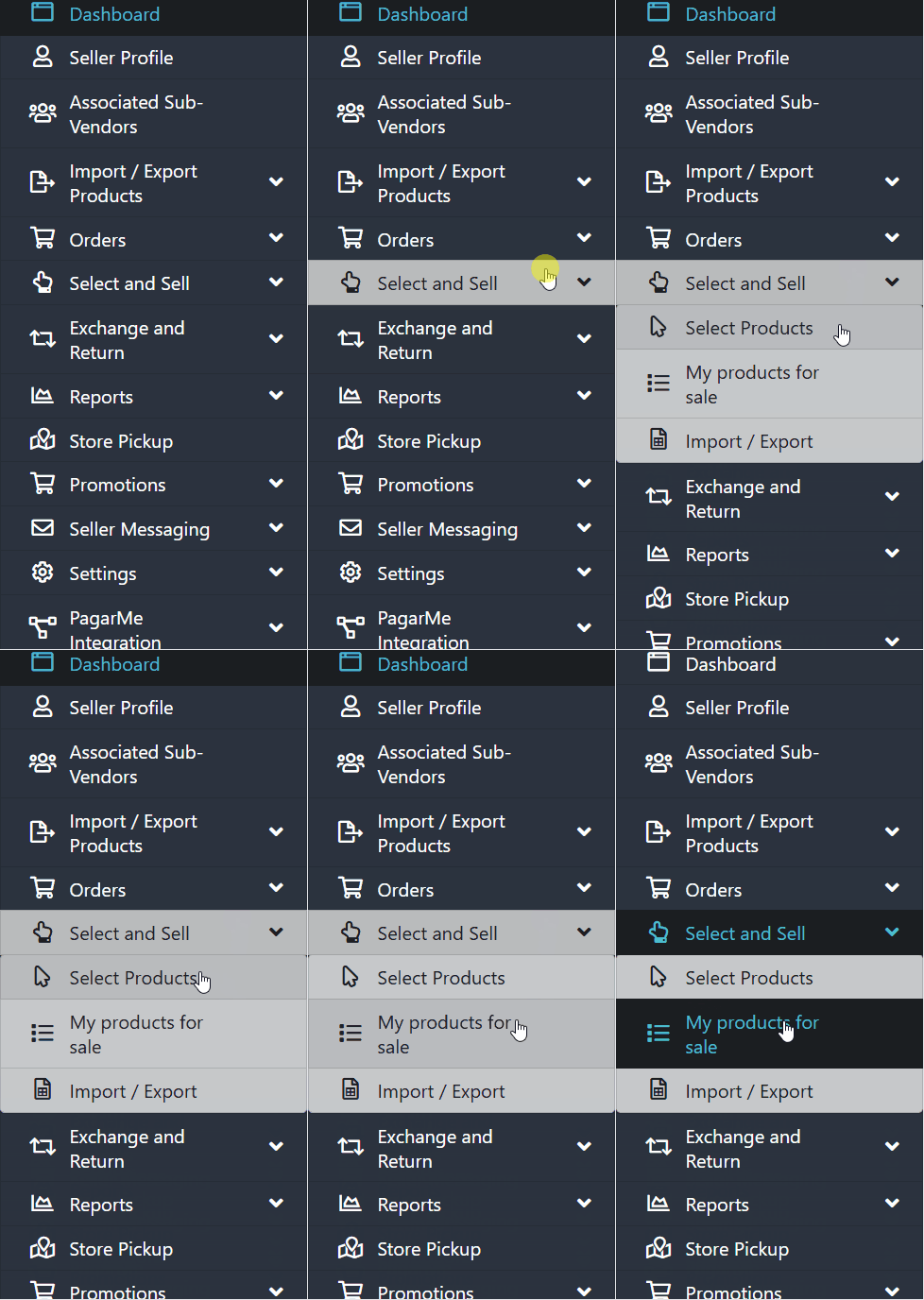
- In the side menu, click Select and Sell.
- Then, select My Products for Sale.
Adding extra delivery days #
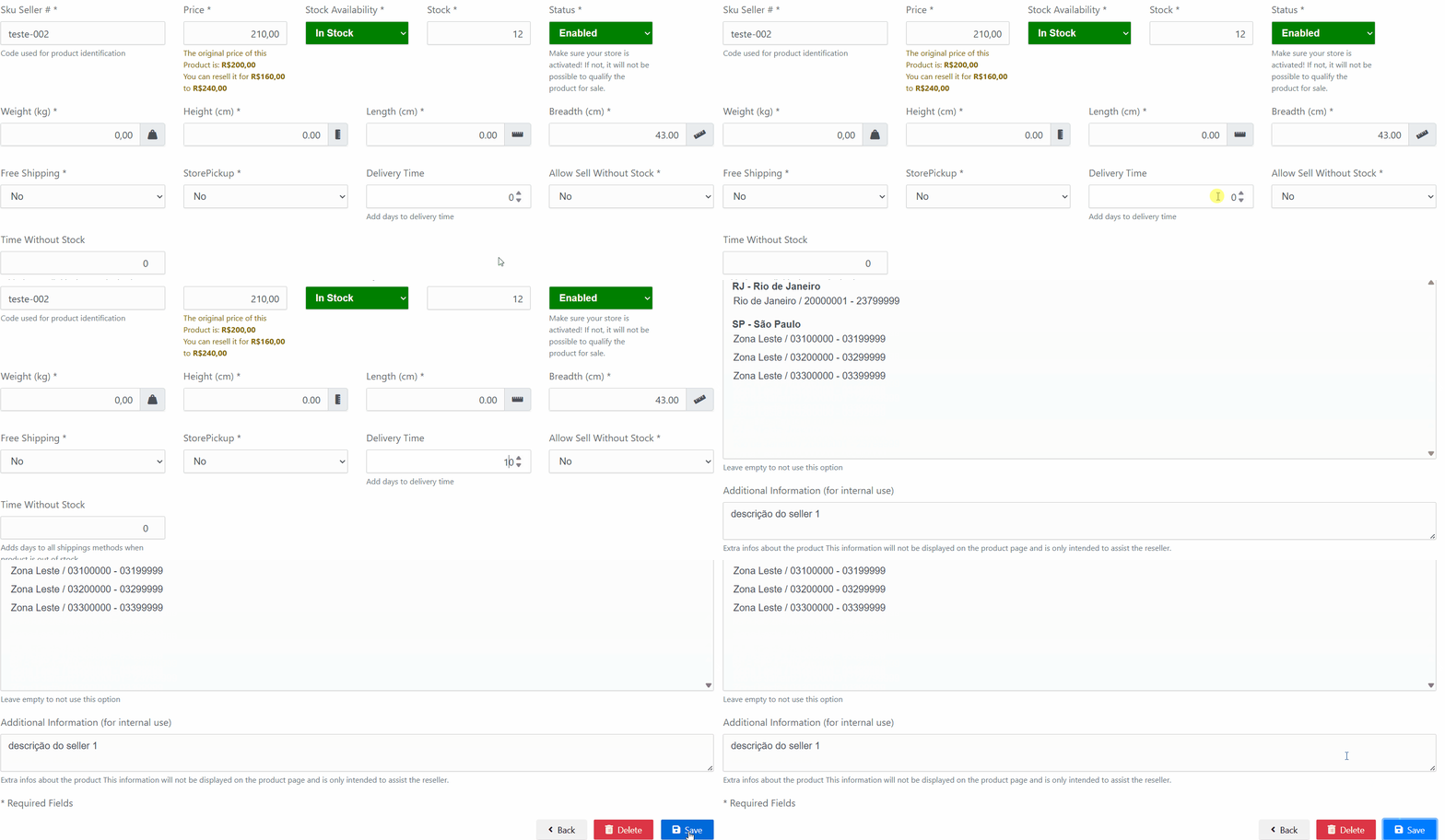
- Locate the product you want to update and click Edit.
- After the page loads, go to the General section.
- Find the field Add days to Correios delivery time.
- Enter the number of extra days you want to add to the delivery estimate.
- Save the changes.
Validating the configuration #
After saving, we recommend running a shipping simulation using a ZIP code to confirm that the extra days were applied correctly.
Need Help? #
If you have any questions or encounter any issues during the process, please ask the Marketplace administrator to open a ticket through our Support Panel. We’re always available to assist you!