
On the Soul Platform, resellers will find three possible statuses that can be assigned to products selected for resale:
1. Enabled #
The Enabled status indicates that the reseller will appear as one of the purchase options for the product. When this status is selected, the product will be visible to customers on the platform.
2. Disabled #
The Disabled status means the reseller has chosen not to appear as a purchase option for the product. While this status is active, the product will not be displayed to customers.
3. Price Out of Range #
The Price Out of Range status is automatically assigned by the system when the price set by the reseller is outside the allowed range defined by the marketplace. This status cannot be manually configured by the reseller.
Products with this status typically result from updates made through spreadsheets or API integrations. While this status is active, the reseller will not appear as a purchase option for the product—just as with disabled products. To resolve this, the reseller must adjust the product’s price to fall within the allowed range and then change the status to Enabled.
How to Change a Product’s Status #
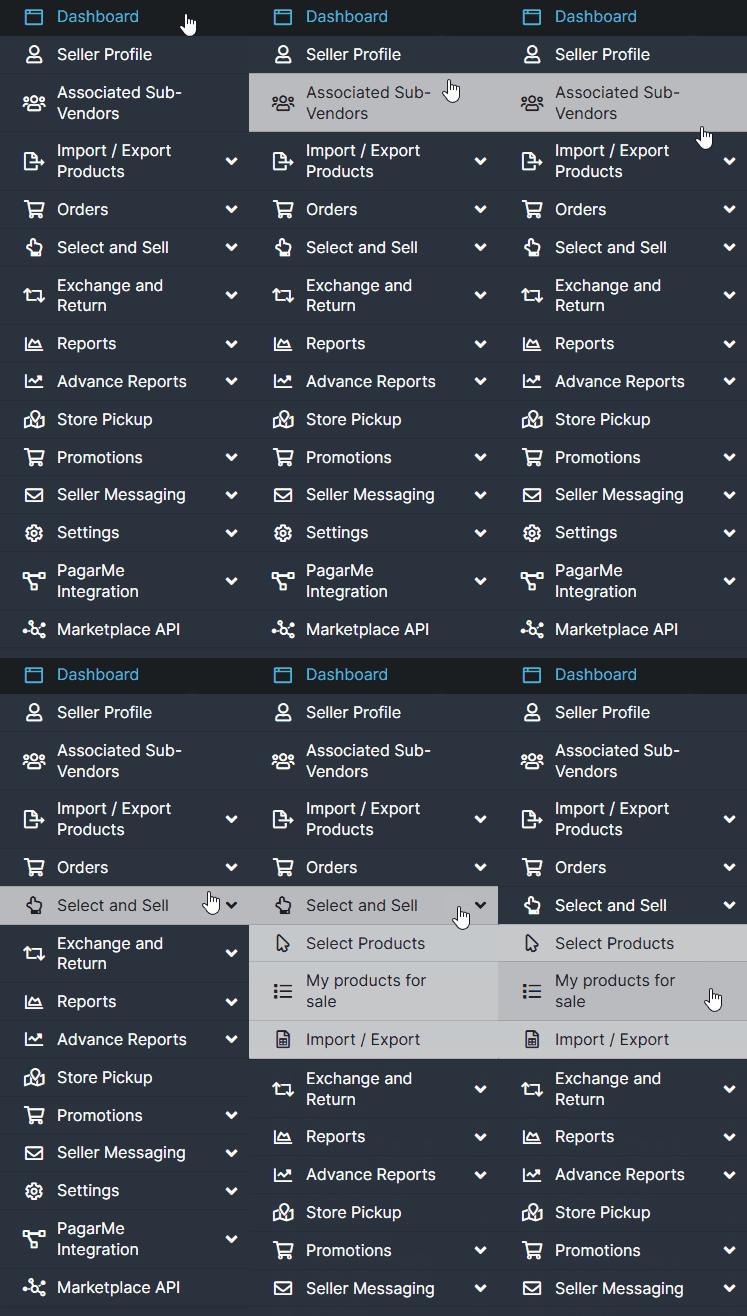
Access the platform’s side menu, click Select and Sell, and then select My Products for Sale.
To Change the Status of a Product: #
- Locate the product you wish to update.
- Click the Edit button.
- In the specific Status field, select the desired status.
- Click the blue Save button located at the bottom right corner of the screen to confirm the change.
This documentation is intended to clearly guide users through the process of managing product statuses, making it easier to control product visibility and ensure price compliance on the platform.
If you experience any difficulties or have questions, please do not hesitate to contact our support team. We are always available to help!