
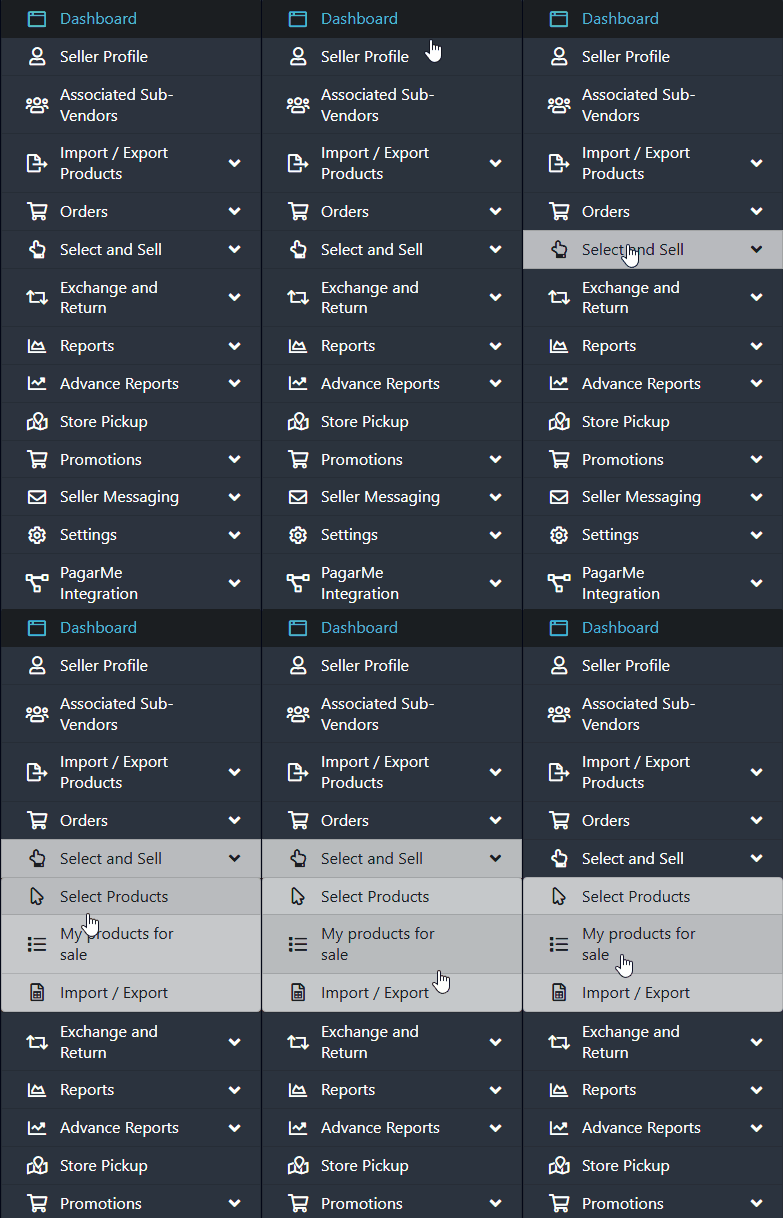
To begin, navigate through the side menu, click on “Select and Sell”, and then select “My Products for Sale”.
Locate and select the product for which you want to update the inventory.
Manual Inventory Update
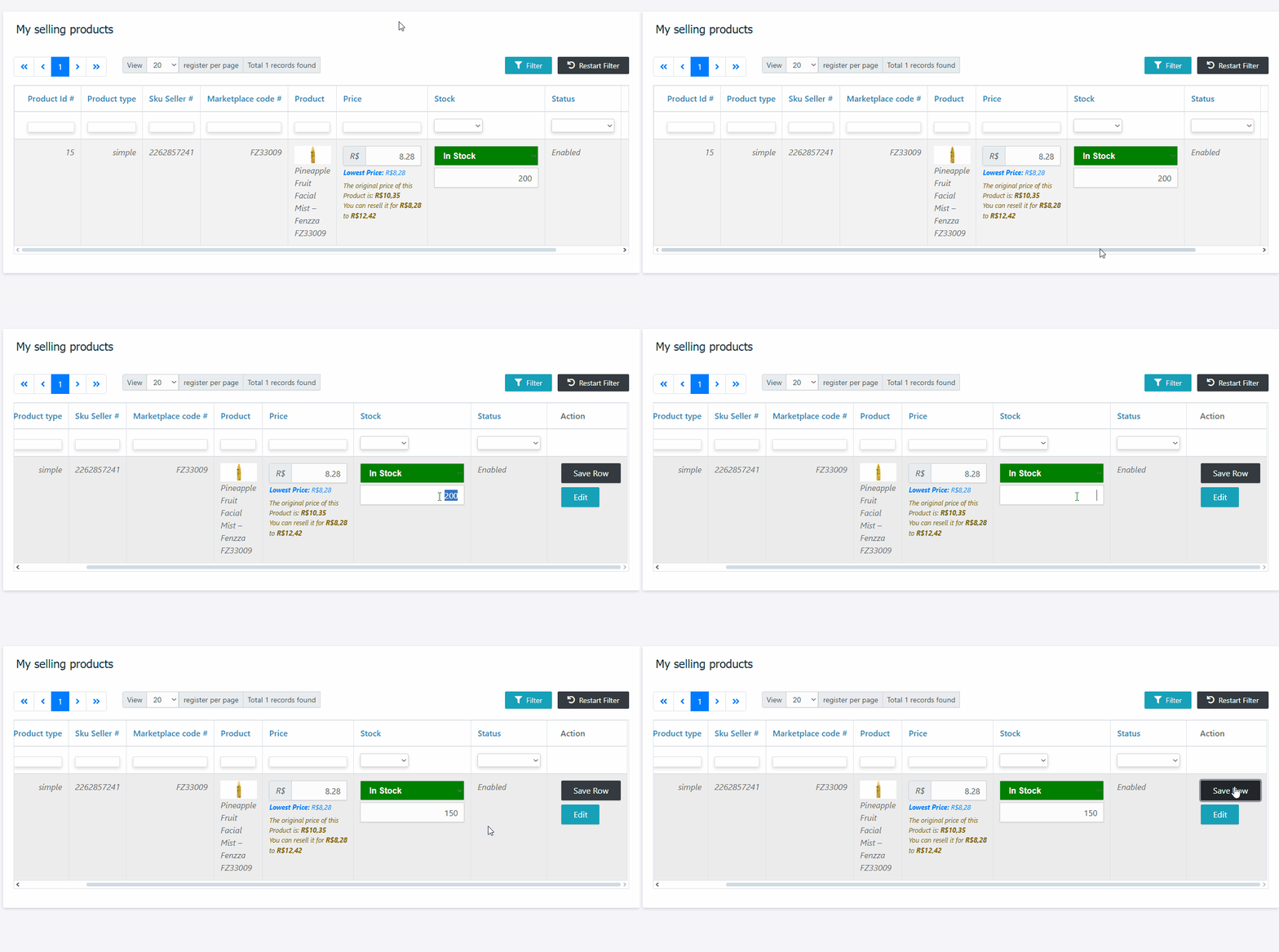
You can update inventory in two ways:
Via Grid:
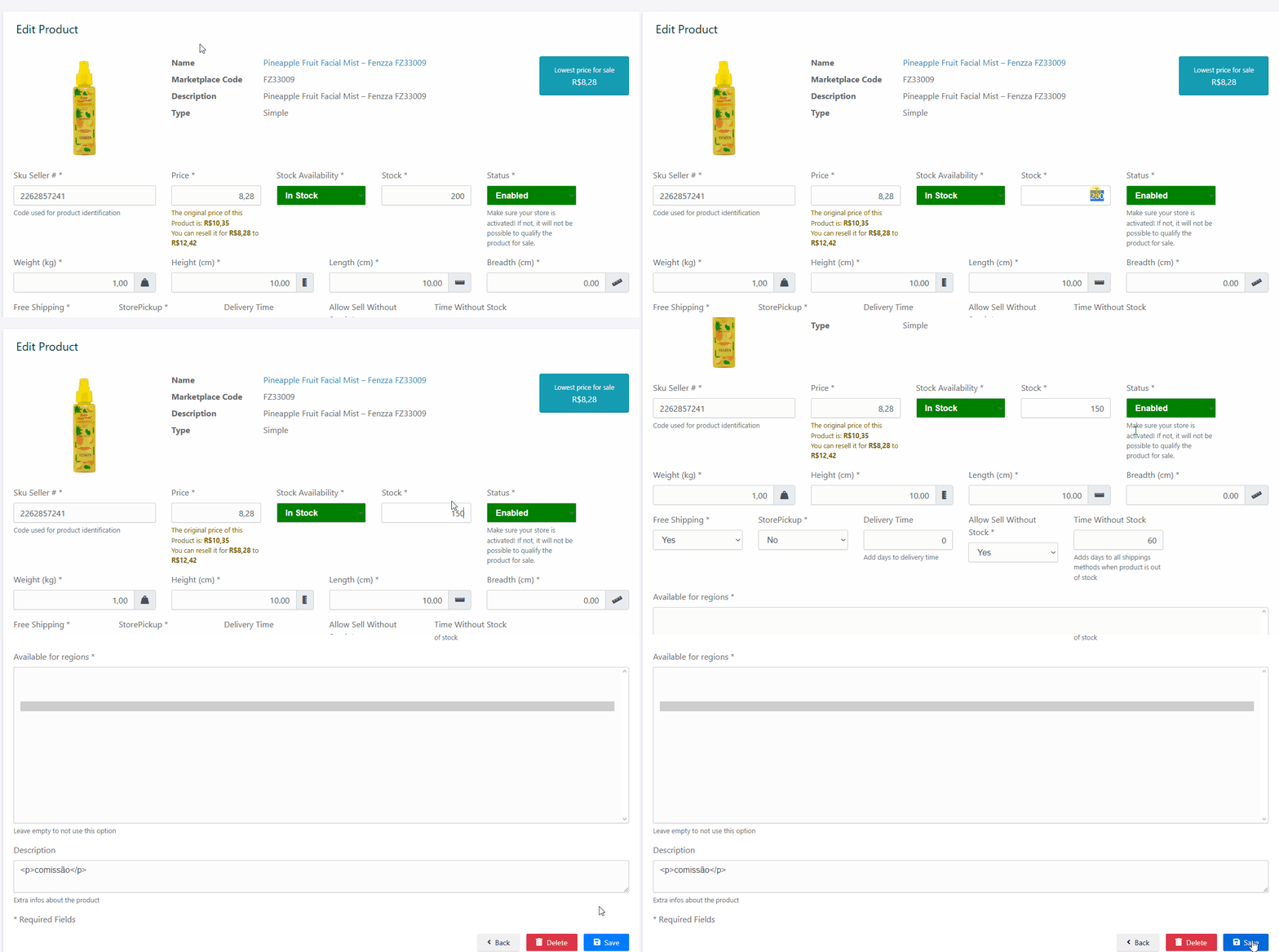
Via Product Edit Page:
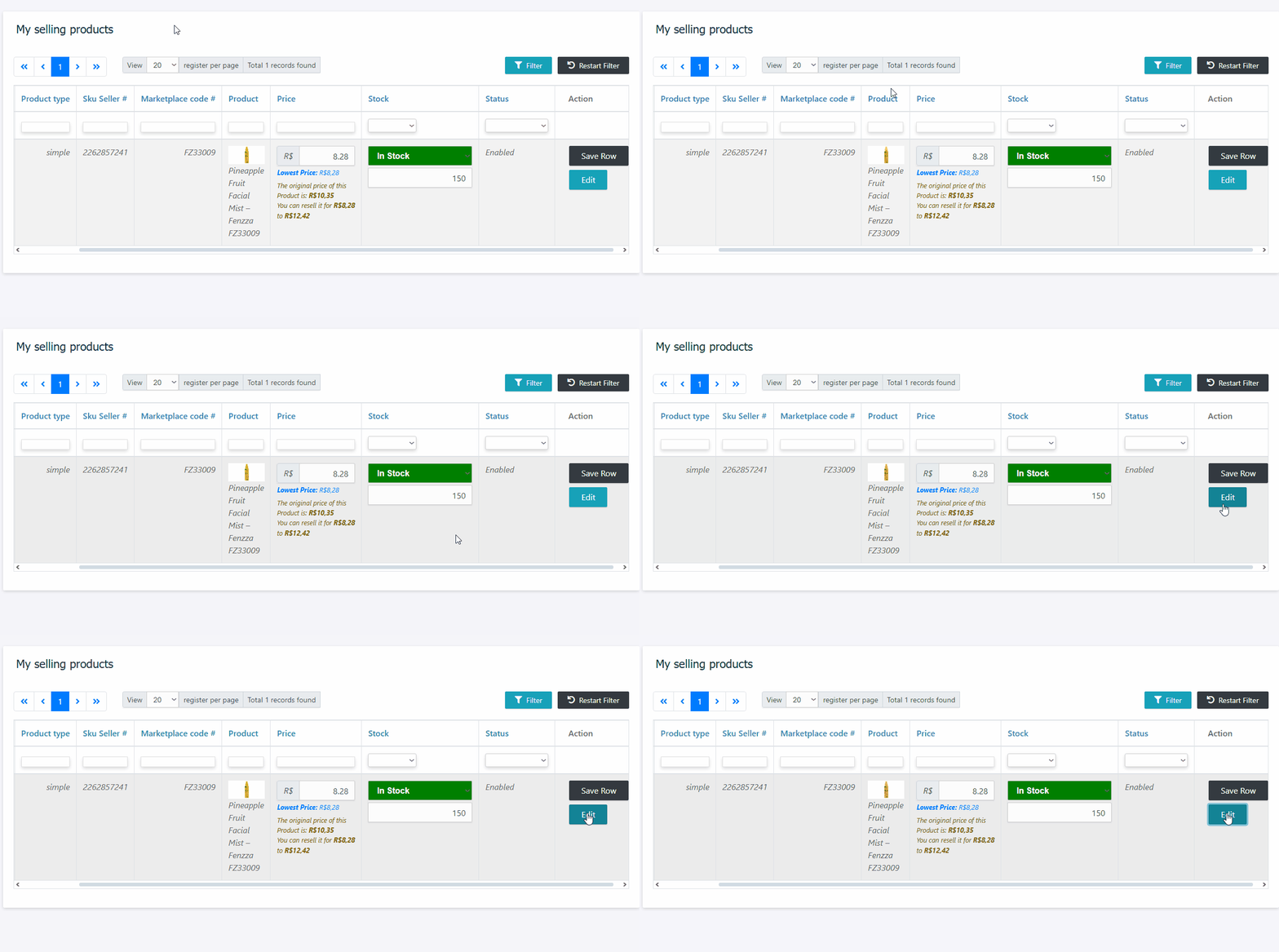
- Click the “Edit” button to access the product’s details.
- Find the inventory field, make the change, and proceed.
After making the modifications, click the “Save” button located in the lower-right corner of the screen to confirm the changes.
Important:
Always verify that the changes were saved correctly to ensure the inventory is up to date.
Need Help?
If you have any questions or encounter any issues, feel free to contact our Support Team. We’re always available to assist you!